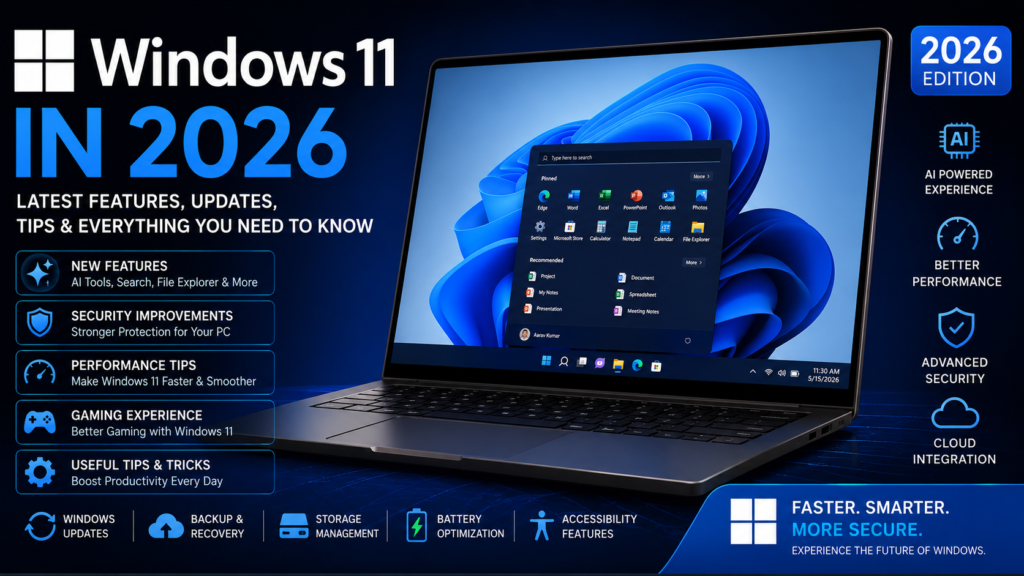
Windows 11 Is Becoming an AI PC
15 powerful Windows AI features you should know in 2026 — including Recall, Click to Do, smarter Search, AI actions in File Explorer and the new Agent in Settings.

Windows is no longer just waiting for your clicks.
The newest Windows 11 experience is moving toward something very different: software that can understand what’s on your screen, help you find things using natural language, suggest actions and assist with settings.
But there’s an important catch: not every Windows 11 computer gets all of these features.
A key Copilot+ PC requirement for several on-device AI features.
Recall: Find something you saw weeks ago
Imagine you remember seeing a laptop, document, website or image last week — but you can’t remember the filename or where you found it.
Recall is designed around that problem. On supported Copilot+ PCs, you can search saved snapshots using natural language and browse an explorable timeline.

Example
The important idea is that you don’t necessarily have to remember the exact title or filename.
Recall requires you to opt in to saving snapshots. Microsoft says snapshots and related information are stored locally and encrypted, and users can pause, delete or disable snapshots.
Click to Do: Your screen becomes interactive
Click to Do looks at text and images on the screen and offers actions based on what you select.

For text
- Summarize
- Rewrite
- Create a bulleted list
- Copy
- Search the web
For images
- Save
- Share
- Visual search
- Blur background
- Erase objects
- Remove background
Try this
Microsoft says Click to Do’s screen analysis is performed locally on supported devices. Information is only shared with an online provider when you choose an action that requires it, such as web search. :contentReference[oaicite:3]{index=3}
File Explorer is getting AI actions
Windows is also bringing AI actions closer to the files you already work with.

Imagine this workflow
You right-click an image and instead of opening another application first, Windows can present supported AI actions such as background removal, object erasing or background blur.
For supported documents, Microsoft also lists AI actions for summarizing content through Microsoft 365 in eligible setups.
Windows Search is learning what you mean
Traditional search is based heavily on exact words. Semantic search tries to understand the meaning behind your request.
Exact search
Natural idea
Microsoft says improved Windows Search on Copilot+ PCs uses semantic indexing alongside traditional indexing. :contentReference[oaicite:4]{index=4}
Agent in Settings: Explain the problem instead of hunting for the option

Settings can be frustrating because you often know what you want to accomplish but don’t know which menu contains the option.
Instead of searching through menus
Microsoft describes Agent in Settings as an on-device AI experience that can help find and change settings and provide troubleshooting recommendations. The user still explicitly requests changes; it isn’t supposed to silently change settings by itself. :contentReference[oaicite:5]{index=5}
Your webcam can become an AI camera

Windows Studio Effects can provide AI-powered camera and audio improvements on supported hardware, including features designed to improve lighting and reduce background noise.
Live Captions can make video more accessible
Live Captions converts speech into captions. On supported Copilot+ PCs, Microsoft lists translation capabilities as part of the Windows AI feature set.
- Online meetings
- Video lessons
- Presentations
- People who prefer reading along with audio
Paint is becoming an AI creative tool

Microsoft’s Windows 11 AI feature set includes Cocreator in Paint, where users can combine a text description with their drawing to generate artwork on supported devices.
Photos is getting smarter too
Microsoft lists AI-assisted features in Microsoft Photos, including Restyle Image and Image Creator for supported Copilot+ PCs.
Restyle
Reimagine the visual style of an existing photograph.
Image Creator
Create new images from a description on supported devices.
AI is also moving into gaming
Auto Super Resolution is Microsoft’s AI-powered resolution technology for supported games and hardware. The goal is to improve visual detail while helping games run more smoothly.

Is your PC actually a Copilot+ PC?
This is where many Windows articles get confusing. Having Windows 11 does not automatically mean your computer supports every new AI feature.
| Requirement / feature | Why it matters |
|---|---|
| Windows 11 | Base operating system requirement. |
| 40+ TOPS NPU | Key requirement for Copilot+ AI workloads. |
| 16 GB RAM | Minimum listed for several Copilot+ features. |
| 256 GB storage | Minimum listed for several features. |
| Supported processor/platform | Feature availability depends on hardware. |
Windows 11 ≠ Copilot+ PC
Regular Windows 11 PC
You can use Windows 11 normally, but some newer AI features require specific hardware.
Copilot+ PC
A newer class of Windows PC with a high-performance NPU and access to supported Copilot+ experiences.
The privacy part people often skip

AI features can be extremely useful, but understand what they process before enabling them.
7 Windows AI mistakes to avoid
01 — Don’t assume every PC supports AI features
Check the actual hardware requirements first.
02 — Don’t enable Recall without understanding it
Review snapshot and privacy controls before opting in.
03 — Don’t download random “AI driver” tools
Use Windows Update and your PC manufacturer’s official support channels.
04 — Don’t trust AI recommendations blindly
Check what a suggested setting actually changes.
05 — Don’t confuse Copilot with Copilot+
They are not interchangeable terms.
06 — Don’t ignore storage
Some AI features have meaningful storage requirements.
07 — Don’t expect every feature everywhere
Language, region, rollout stage and hardware can affect availability.
08 — Don’t install fake “AI activators”
If a website asks you to download a suspicious activation tool, leave it alone.
Is your PC ready for the AI era?
Windows is moving from commands to intent
The interesting change isn’t simply that Windows now has more AI buttons.
The bigger change is the interaction model.
That shift is why features like semantic Search, Click to Do, Recall and Agent in Settings matter more than any individual interface redesign.
Windows 11 AI Features FAQ
Feature availability can vary by hardware, Windows version, language, region, account and rollout stage. Always check the latest Microsoft documentation before enabling or purchasing hardware specifically for one feature.
Windows isn’t just getting smarter. It’s changing how we use a PC.
The biggest shift isn’t one magical AI feature. It’s the idea that you can describe what you want instead of remembering exactly where Windows put the setting, file or action.
If you have a supported Copilot+ PC, these features are worth exploring. If you don’t, there’s no reason to rush out and upgrade just because Windows has added AI.