
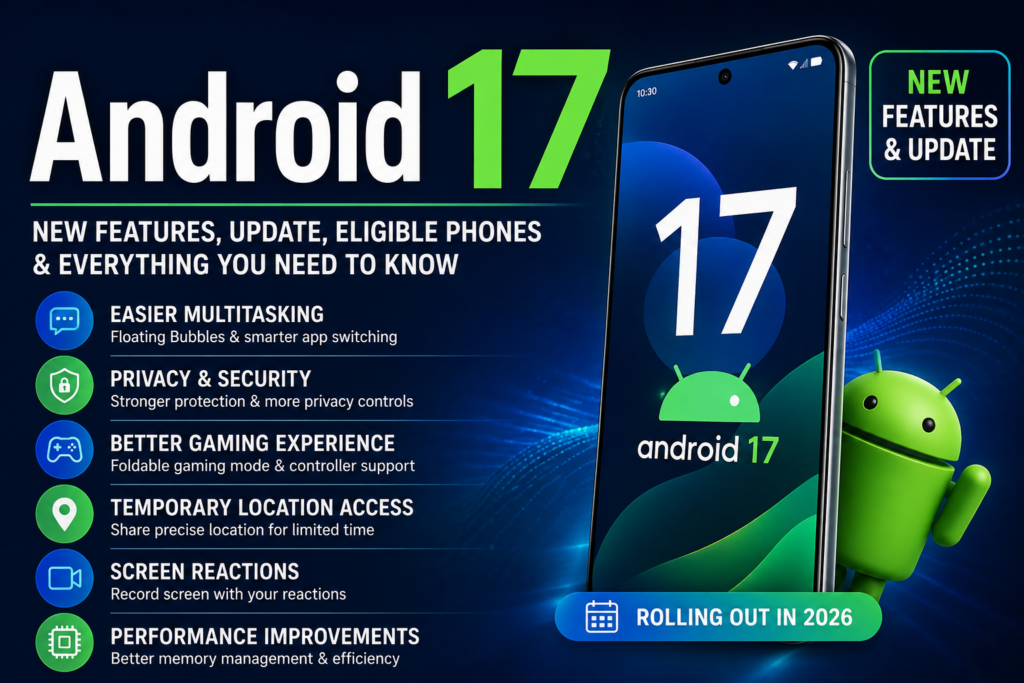
Android 17: New Features, Update, Eligible Phones, Security & Everything You Need to Know
Android 17 is the latest major version of Google’s mobile operating system, bringing new multitasking tools, better gaming features, improved privacy and security controls, creator-focused tools, and performance improvements. Google says Android 17 is rolling out first to Pixel devices, with other eligible Android phones expected to receive the update throughout 2026.
If you are wondering what is new in Android 17, which phones will get Android 17, how to check for the Android 17 update, and whether Android 17 is worth installing, here is everything you need to know.
Android 17: What’s New?
Android 17 focuses on making smartphones more useful for everyday work, entertainment, gaming, content creation and security.
Some of the biggest Android 17 features include:
- Floating Bubbles for easier multitasking
- Improved screen recording
- Screen Reactions
- Better gaming support for foldable phones
- Improved privacy controls
- Temporary precise-location access
- Enhanced lost-device protection
- Better protection against suspicious apps and scams
- Improved PIN security
- Better memory management
- More control over the Android dark theme
- Expanded parental controls
- The ability to hide app names on the home screen
Google says Android 17 is rolling out first to Pixel devices and will expand to other eligible Android devices during 2026.
1. Android 17 Bubbles Make Multitasking Easier
One of the most useful Android 17 features is the improved Bubbles experience.
Bubbles allow supported apps to appear in compact floating windows over other apps. Instead of constantly switching between applications, users can keep important information accessible while working on something else.
For example, you could keep a map, note or another supported app available while browsing a website or watching a video.
On larger-screen devices, Android 17 can place bubbles in a dedicated bubble bar, making it easier to switch between applications.
This could make Android phones and tablets more convenient for people who regularly multitask.
2. Screen Reactions Make Screen Recording More Useful
Android 17 also improves screen recording and adds Screen Reactions.
The new experience allows users to record their phone screen while also capturing their reaction through the phone’s selfie camera.
This can be useful for:
- Tutorials
- App demonstrations
- Gaming videos
- Reaction videos
- Social media content
- Troubleshooting
- Educational videos
Users can show what is happening on their screen while simultaneously adding their own reaction, without needing a separate camera setup.
3. Android 17 Improves Gaming on Foldable Phones
Gaming is another area receiving attention in Android 17.
Google has introduced a foldable gaming mode designed to make better use of the large display available on foldable smartphones.
The layout can place the game view on one side of the screen and a dynamic gamepad area on the other, creating a more console-like gaming experience.
Android 17 also supports native controller remapping for compatible external controllers.
Google says it has also improved memory cleanup to reduce frame drops and stutters during high-definition gaming.
4. Android 17 Brings Better Privacy Controls
Privacy is another major part of the Android 17 update.
Users can give an application temporary access to their precise location instead of allowing permanent access.
Android 17 also gives users more control when sharing contacts by allowing specific contacts to be shared rather than automatically giving an app access to the entire address book.
These changes give users more control over what applications can access.
5. Android 17 Makes Lost Phones Safer
Android 17 also improves protection when a phone is lost or stolen.
The enhanced Mark as lost feature in Find Hub allows users to lock a missing phone using biometric authentication.
This is designed to provide additional protection even if someone knows the phone’s passcode.
Google has also increased protection against repeated PIN guessing attempts by reducing the number of attempts and increasing waiting periods after failed attempts.
6. Better Protection Against Scams and Suspicious Apps
Android 17 includes additional security improvements designed to help protect users from malicious applications and scams.
Google says improvements to Live Threat Detection can help identify more suspicious apps and scams.
The update also improves Advanced Protection mode, giving users additional security against sophisticated threats.
For people who use their phones for banking, shopping, work and personal communication, these security improvements are especially important.
7. Android 17 Can Help With Performance and Battery Life
Android 17 also introduces changes behind the scenes.
One of the important improvements is the introduction of app memory limits.
The goal is to prevent individual applications from using excessive amounts of RAM.
Better memory management can help Android devices maintain smoother performance and may also improve battery efficiency in some situations.
This is particularly useful for phones running many applications in the background.
8. More Android 17 Customization Options
Android 17 also adds several smaller customization improvements.
Users can hide application names from the home screen for a cleaner look.
Google is also expanding parental controls across Android devices and adding more controls for the dark theme.
There is also a dedicated volume control for the assistant.
These may not be headline features, but they make Android more customizable for everyday users.
Android 17 and AI Features
Artificial intelligence continues to become a bigger part of Android.
Google says select advanced devices will receive Gemini Intelligence features, designed to make Android more proactive and helpful.
Google has been integrating Gemini more deeply into Android so users can perform tasks, find information and interact with their devices more naturally.
The latest Pixel generation also continues Google’s focus on Gemini-powered experiences.
Google announced the Pixel 11 lineup on August 12, 2026, with the new generation built around Google’s latest hardware and Gemini-focused experiences.
Which Phones Will Get Android 17?
Android updates depend on the phone manufacturer, model and region.
Google is rolling out Android 17 to Pixel devices first, while other manufacturers are expected to release updates for eligible phones throughout 2026.
Samsung, OnePlus, Xiaomi, OPPO, vivo, HONOR, Motorola and other manufacturers may have different rollout schedules.
That means there is no single Android 17 release date for every Android phone.
The best way to check is to open:
Settings → System → Software Update
On Samsung Galaxy devices, the menu may be located under:
Settings → Software Update → Download and Install
The exact menu can vary depending on the phone manufacturer and Android skin.
How to Check if Android 17 Is Available
Follow these steps:
- Open Settings on your Android phone.
- Scroll down and open System or Software Update.
- Tap System Update or Download and Install.
- Check for available updates.
- If Android 17 is available, review the update information.
- Connect your phone to Wi-Fi.
- Make sure the battery has enough charge.
- Download and install the update.
Do not manually install unofficial firmware unless you know exactly what you are doing.
Should You Update to Android 17?
For most supported users, updating to Android 17 should be worthwhile.
The update combines new features with security improvements, privacy controls, multitasking improvements and performance changes.
However, rollout timing depends on the manufacturer and device.
If your phone has received the official Android 17 update, it is generally better to keep the device updated rather than delaying security and system improvements for a long time.
Android 17 vs Older Android Versions
Android 17 is not simply about changing the appearance of Android.
The biggest improvements are focused on how people actually use their phones.
Multitasking: Better floating app experiences.
Gaming: Improved support for foldables and controllers.
Security: Better lost-device protection, PIN protection and threat detection.
Privacy: More control over location and contact access.
Creators: Improved screen recording and Screen Reactions.
Performance: Better memory management.
Customization: More control over the home screen and dark theme.
Android 17: What Users Should Know
One important thing to remember is that not every Android phone will receive every feature.
Android manufacturers customize the operating system with their own interfaces and features. Therefore, a feature available on a Pixel phone may not appear in exactly the same way on a Samsung Galaxy, OnePlus, Xiaomi or another Android device.
Availability can also vary by country, language and device hardware.
Final Verdict
Android 17 is a meaningful Android update, especially for users who care about multitasking, security, privacy, gaming and content creation.
The new Bubbles experience makes multitasking easier, Screen Reactions can make screen recording more useful, foldable gaming gets a dedicated experience, and security improvements provide better protection for lost devices and suspicious applications.
Google is also continuing to push Gemini deeper into Android, showing that AI will remain an important part of the platform’s future.
If your phone is officially eligible for Android 17, keeping the device updated is the best way to get the latest features and security improvements.
Android 17 is not just another visual update — it is another step toward making Android more secure, more useful and more intelligent.
Frequently Asked Questions
What is Android 17?
Android 17 is Google’s latest major Android operating system update, bringing new multitasking, gaming, privacy, security, creator and performance features.
When was Android 17 released?
Google announced Android 17 features on June 16, 2026, with the rollout starting on Pixel devices and expanding to other eligible Android devices throughout 2026.
Which phones get Android 17 first?
Google Pixel devices are receiving Android 17 first. Other manufacturers will release the update for eligible phones according to their own rollout schedules.
How do I update my phone to Android 17?
Go to Settings → System → Software Update and check for available updates. The exact menu can vary by manufacturer.
Is Android 17 safe?
Android 17 includes new security and privacy improvements, including stronger lost-device protection, better threat detection and additional controls over app permissions.
Will Samsung phones get Android 17?
Eligible Samsung Galaxy phones are expected to receive Android 17 through Samsung’s own software rollout. The exact timing and supported models depend on Samsung.
Does Android 17 improve gaming?
Yes. Android 17 introduces improvements for foldable gaming, controller support and memory management designed to reduce frame drops and stutters during high-definition gaming.
Does Android 17 have new AI features?
Yes. Google is continuing to integrate Gemini and Gemini Intelligence into Android, with select advanced devices receiving additional AI-powered experiences.
Source Note
Information in this article is based primarily on Google’s official Android announcements and Google’s latest 2026 Pixel announcements. Feature availability can vary by device, manufacturer, region and language.
