
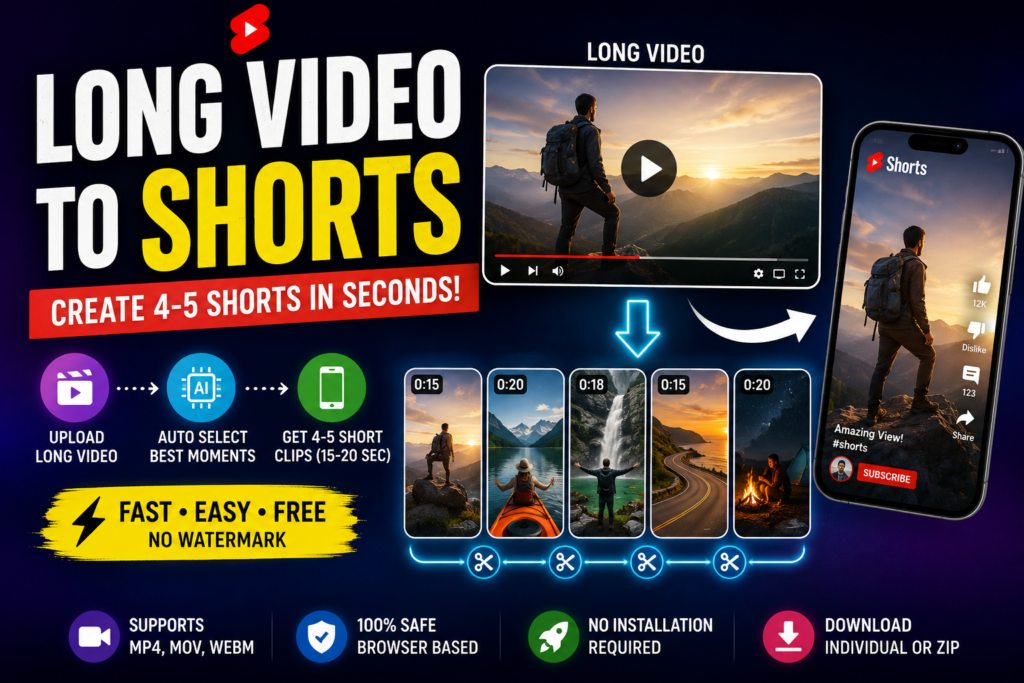
Long Video → Multiple Shorts
Upload a long video and create multiple 15–20 second vertical clips directly in your browser.
Your Shorts
Long Video to Shorts: Create Multiple Short Videos Online
Long-form videos can contain several useful moments, but creating individual Shorts manually can take a lot of time. A video-to-Shorts tool can simplify the process by creating short clips from different parts of a longer video.
This free browser-based tool lets you upload a video, choose the number of Shorts and select a 15 or 20 second clip length. The generated clips can then be previewed and downloaded individually or together.
How to Turn a Long Video into Shorts
Step 1: Upload Your Video
Choose a video from your phone or computer. The video is loaded locally in your browser for processing.
Step 2: Choose the Number of Clips
You can create four or five Shorts from the uploaded video.
Step 3: Select the Duration
Choose either 15 seconds or 20 seconds depending on the type of content you want to create.
Step 4: Create Shorts
The tool processes the video and creates separate short video files from different sections of the original video.
Step 5: Preview and Download
Each generated Short has its own preview and download button. You can also download all generated clips together.
What Is a Long Video to Shorts Converter?
A long video to Shorts converter is a video editing tool designed to turn longer recordings into smaller clips suitable for platforms such as YouTube Shorts, Instagram Reels and other vertical-video feeds.
Why Create Multiple Shorts from One Video?
- One long recording can produce multiple pieces of content.
- Short clips are easier to publish on multiple platforms.
- You can reuse existing videos instead of recording everything again.
- Different sections of a long video can be tested as separate posts.
- Short clips can be useful for tutorials, podcasts, interviews and presentations.
Best Video Types for Creating Shorts
This type of workflow can be useful for podcasts, interviews, tutorials, webinars, gaming videos, educational videos, product demonstrations and long YouTube videos.
Can You Create Shorts Without Installing Software?
Yes. Browser-based video processing can handle many common editing tasks without requiring a traditional desktop video editor. This tool uses WebAssembly-based FFmpeg processing directly in the browser.
Are Uploaded Videos Stored on a Server?
This version processes the selected video inside the browser. The page does not upload the video to a separate video-processing server.
Because the processing happens locally, performance depends on the user’s computer or phone. Large or high-resolution videos can require significantly more processing time and memory.
How Long Should a Short Video Be?
There is no single perfect duration for every type of content. Shorter clips can work well when the message is simple, while longer clips can provide enough time for context. This tool provides 15 and 20 second options so users can quickly create both formats.
Tips for Better Shorts
- Start with a clear or interesting moment.
- Avoid long silent sections.
- Keep the main subject visible.
- Use vertical framing when the content is designed for mobile feeds.
- Add captions later when spoken content needs extra context.
- Keep each Short focused on one idea.
Long Video to Shorts for YouTube
Creators can use short clips from longer videos as additional content for YouTube. A single long video can provide multiple short-form clips that can be edited further before publishing.
Long Video to Reels
Vertical clips can also be useful for Instagram Reels and other mobile-first video platforms. The 9:16 option in this tool is designed for vertical viewing.
Frequently Asked Questions
Final Thoughts
Creating multiple short clips from a long video can make an existing video easier to reuse across different platforms. This tool provides a simple workflow: upload the long video, choose four or five clips, select 15 or 20 seconds, generate the Shorts and download the results.
